Wondering how you can catch those big pay-per-view events without the hefty price tag? The most straightforward way is by using a free online IPTV player along with a compatible M3U playlist file. This combo lets you stream live events right from your web browser, skipping the need for special apps or pricey subscriptions.

Before we get into the nuts and bolts, let's talk about why this is even a thing. The way we watch live entertainment has completely changed. Gone are the days of being tied to expensive, long-term cable contracts. Viewers today want more control and, frankly, more affordable ways to watch what they love.
The biggest push for this shift? The insane cost of exclusive pay-per-view events. Whether it's a title fight in boxing or a major wrestling spectacle, the prices keep creeping up, turning what should be a fun night into a luxury purchase for many. Naturally, people have started hunting for more budget-friendly alternatives.
Another huge factor is something we all feel: subscription fatigue. Most of us are already juggling several streaming services for movies, shows, and sports. Shelling out for a high-priced, one-time PPV event on top of all those monthly bills just feels like too much. It's no wonder people are actively looking to trim their entertainment budget.
This isn't just a feeling; the numbers back it up. A recent analysis showed that 26% of entertainment subscribers across all age groups have cancelled paid services just to save money. This is even more common among Millennials, where 31% have ditched paid subscriptions for free, ad-supported options. You can dive deeper into these video streaming statistics and consumer trends if you're curious.
It all boils down to one simple thing: Viewers want to watch premium events without paying a premium price. They're getting smarter and more resourceful, exploring options like IPTV that offer way more flexibility and affordability than old-school broadcast models.
This guide is our answer to this massive shift. We're going to walk through how to watch free pay-per-view events using IPTV. But let's be real—using free sources can have its trade-offs, like spotty stream quality or the occasional ad. Knowing this from the start helps frame the next steps as a practical solution for today’s savvy, budget-conscious viewer.
The absolute key to watching free pay-per-view events is the M3U playlist. Think of it as your secret channel guide, pointing your IPTV player exactly where to find the live streams. Honestly, though, finding a good, working playlist can feel like a bit of a treasure hunt.
These playlist files get passed around a lot in online communities, forums, and specialized groups dedicated to all things IPTV. While many are free, their quality and reliability are all over the place. A playlist that’s streaming perfectly one day might be completely dead the next—it's a common headache.
Before you even think about loading up a playlist, it’s smart to do a quick background check. A solid playlist should be recently updated. If you grab an old, abandoned file, the chances of its links working for a live PPV event are practically zero. You also want to confirm it actually has the channels you're looking for.
This little infographic breaks down a simple, three-step process for checking out a potential M3U playlist.
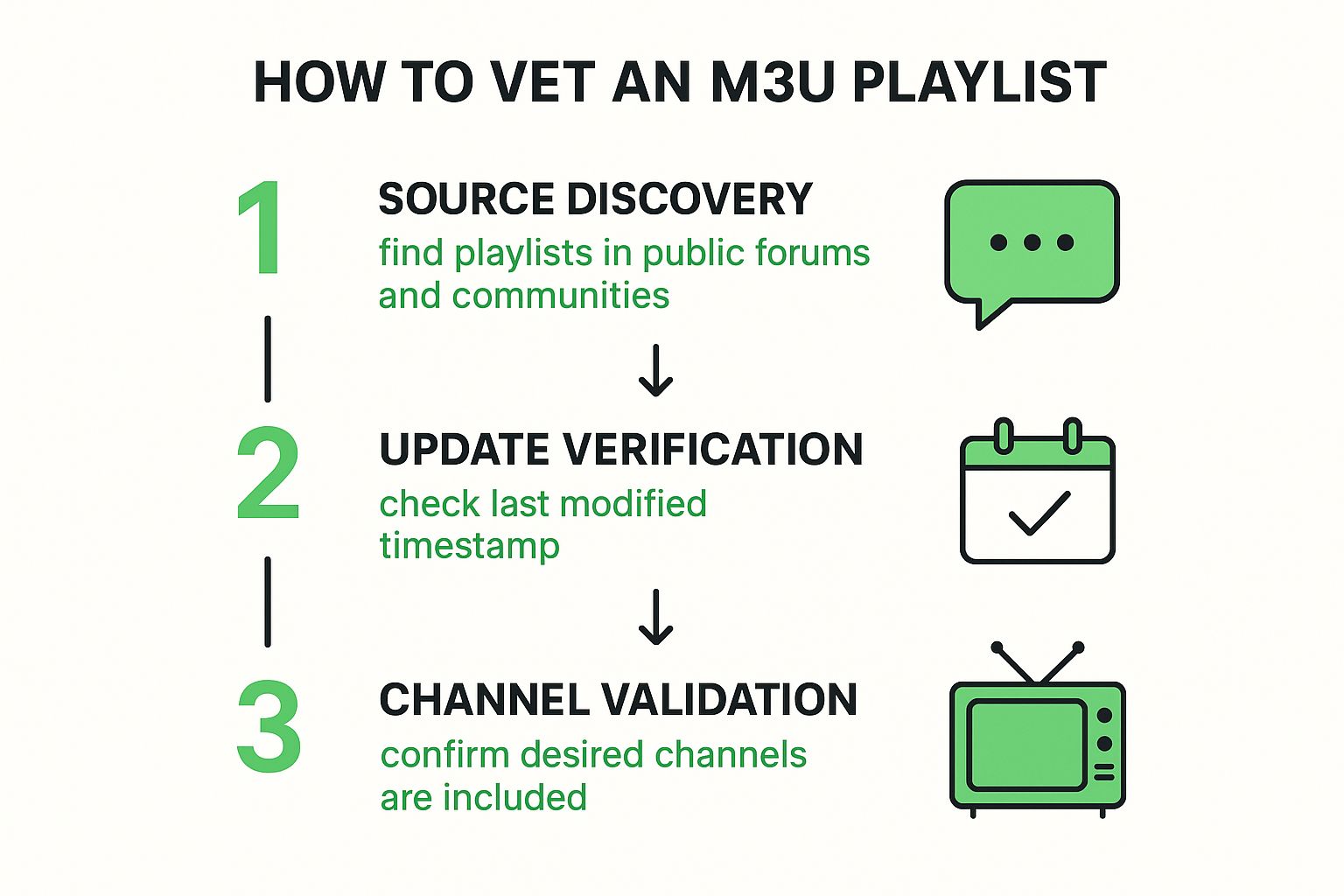
As you can see, by finding a source, checking how often it's updated, and then validating its content, you seriously boost your odds of a successful stream. For those who like to be more hands-on, you might want to check out our guide on how to create an M3U playlist from the ground up.
For a consistently smooth and buffer-free experience, especially for a major PPV event, skipping the guesswork with a premium provider is your best bet. A service like IPTVNow offers stable, high-quality streams without the hassle of searching for and testing unreliable free lists. This ensures you won’t miss the action when it matters most.
Alright, you've got a working M3U playlist in hand. The finish line is in sight. All that's left is to load that playlist into a player, and this is where a free online IPTV player really comes in handy. It's the simplest route because you don't need to mess around with installing complex software—everything just works right in your web browser.
It's a refreshingly simple process. Most web-based players have a clean interface with an obvious spot to either paste your M3U playlist URL or upload the file directly. With the Free IPTV Player, for example, you just copy the URL you sourced, pop it into the box on the homepage, and you're good to go.
Once it's loaded, the player will pull all the channel data from your playlist. From there, it's just a matter of scrolling through the list to find the pay-per-view event you're looking for.
Watching on a laptop is great, but let's be real—most of us want the big-screen experience for a major event. The good news is that the same logic applies when you move to a dedicated streaming device. The core idea never changes.
You're always just loading your M3U playlist into a player app. The only real difference is which app you're using on which device.
So, if you're setting this up on an Amazon Fire Stick, you’d start by grabbing a compatible IPTV player app from the Appstore. We break down the best options in our detailed guide on the perfect IPTV player for Firestick. A few quick steps will get your streams up and running on your TV, so you're all set for the main event.
To avoid buffering and enjoy high-quality streams, having the right hardware is key. A laggy connection or an underpowered device can ruin the experience. Here are some recommended products available on Amazon that can significantly improve your viewing.
| Product Category | Key Feature | Why It Helps | Amazon Affiliate Link |
|---|---|---|---|
| Streaming Media Player | Powerful Processor | Devices like the Amazon Fire Stick 4K Max have processors built for decoding high-bitrate video, preventing stutter and lag. | Check Price on Amazon |
| High-Speed Router | Wi-Fi 6 Technology | A modern router like the TP-Link AX3000 provides faster speeds and a more stable connection, crucial for uninterrupted 4K streams. | Check Price on Amazon |
| Ethernet Adapter | Wired Connection | An Ethernet adapter for your Fire Stick or TV provides a direct, stable line to your router, eliminating Wi-Fi interference. | Check Price on Amazon |
Investing a little in your setup can make a world of difference, turning a potentially frustrating stream into a flawless viewing party.
So you've got your stream up and running. Great! But the real test isn't just getting it to play; it's making sure it keeps playing, especially during a live event. There's nothing worse than watching that spinning wheel of death right as the main event kicks off.
Constant freezing and buffering can completely ruin the experience. The good news is, you can usually fix this by making a few tweaks to your home network. A smooth, uninterrupted stream is totally achievable.
The demand for live streaming is massive and only getting bigger. In fact, the pay-per-view market was valued at USD 847.3 million in 2023 and is expected to rocket to USD 2.25 billion by 2032. All that traffic puts a heavy strain on the internet, which makes having a solid connection at home more important than ever.
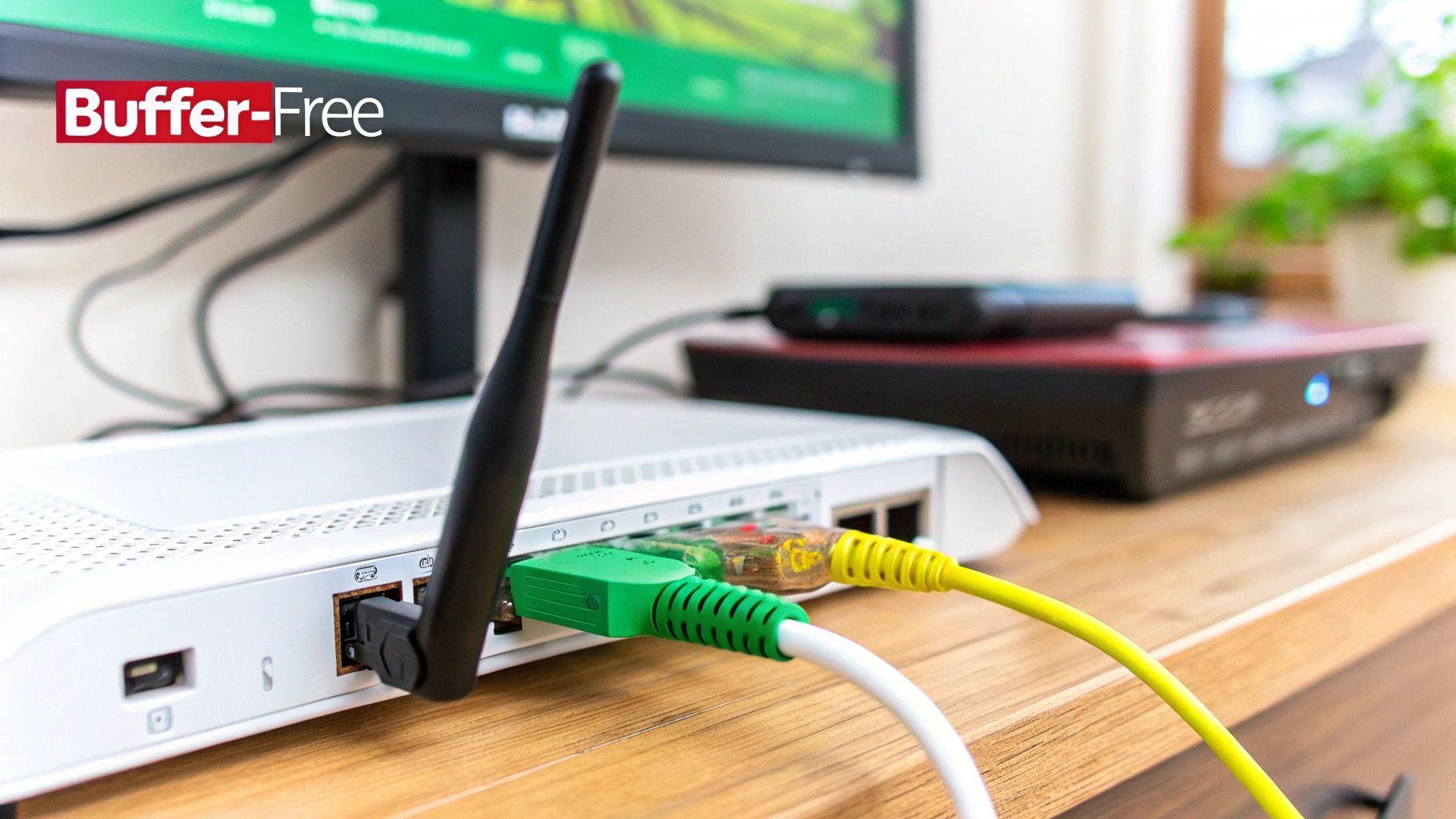
When it comes to live streaming, a wired Ethernet connection is your best friend. Wi-Fi is convenient, sure, but it's also prone to interference from other gadgets, thick walls, and even your kitchen microwave.
An Ethernet cable gives you a direct, stable link from your router to your streaming device. This simple change drastically reduces the latency and packet loss that cause most buffering issues. If you're using a laptop or a device like a Fire Stick, grabbing a high-speed Cat 8 Ethernet Cable from Amazon is a small investment that pays off big time in stream stability.
The gear you're using matters. A lot. An old router or an underpowered streaming stick can easily become a bottleneck, struggling to handle the demands of high-quality live video.
Here’s what to look at:
One sneaky issue that trips people up is ISP throttling. This is when your internet provider deliberately slows you down because it detects high-bandwidth activity like streaming. A good VPN can often get around this. It encrypts your traffic, so your ISP can't see what you're doing and won't apply those targeted slowdowns.
Getting a buffer-free stream is key to enjoying live events. For a deeper dive into creating a rock-solid foundation for all your streaming, check out these best practices for optimizing your home network for seamless streaming.
Even with a perfect setup, you're bound to hit a snag every now and then when trying to stream free pay-per-views. It’s frustrating when a stream refuses to load, gets stuck in an endless buffering loop, or flashes a "playlist error" message right before the main event.
Don't worry, these issues are almost always an easy fix.
More often than not, the culprit is a simple connection hiccup. Before you start tearing your hair out, try the classic tech support trick: restart everything. Power cycle your router, then your streaming device, and finally, relaunch your IPTV player. This simple sequence works wonders by clearing out temporary glitches and giving everything a fresh start.
If a restart doesn't solve the problem, it’s time to play detective. The issue usually boils down to one of three things: your internet connection, the M3U playlist itself, or your player's cluttered cache.
Let's break it down:
Got persistent buffering? Your best bet is always a wired Ethernet connection. If that's not an option, upgrading your hardware can make a huge difference. A more powerful device like an Amazon Fire TV Stick 4K Max has a much beefier processor designed to handle high-quality video without breaking a sweat.
Jumping into IPTV to catch pay-per-view events for free can feel like navigating a new world. You’ve probably got questions about everything from legality to performance, and getting straight answers is the only way to stream with confidence. Let's tackle some of the most common questions head-on.
This is the big one, right? Let's get right to it. Using an IPTV player, like our own Free IPTV Player, is 100% legal. These are just tools for playing video content, similar to VLC or any other media player.
The legal sticky spot is all about where your M3U playlist comes from. If you're streaming from a provider that has the rights to broadcast that content, you're in the clear. The trouble starts when you use playlists that share copyrighted content without permission. Just be smart about your sources. For a reliable, high-quality experience, consider a premium service like IPTVNow.
Ah, the dreaded buffering wheel. It’s the ultimate buzzkill during a live event. This is almost always a bottleneck issue, and it usually comes down to one of three culprits:
A quick internet speed test is the first thing you should do. If your speeds are fine, the problem likely lies with a congested network or, more often than not, an overworked server on the other end.
While you don't have to use a VPN, I strongly recommend it for a couple of big reasons. First, it's a huge privacy booster, encrypting everything you do online.
More importantly for streaming, a VPN can be your secret weapon against ISP throttling. That’s when your internet provider intentionally slows you down because it sees you're doing something that uses a lot of data, like streaming video. A VPN can help you bypass that, leading to way less buffering and a much smoother experience, especially during a massive live event.
You're not alone in looking for free ways to watch. The whole industry is shifting. In the U.S. alone, free ad-supported services like Tubi and The Roku Channel are already used by 17% and 15% of TV viewers. FreeVee has seen its usage jump by an incredible 92% since mid-2022. It’s clear people are happy to watch a few ads to get content for free, which is the same idea behind finding ways to watch PPVs without paying upfront. You can dive deeper into these evolving streaming trends and statistics.
This question comes up all the time. The answer really depends on your playlist provider.
Most of the free, publicly shared M3U playlists you find online don't have any rules against it. You can usually pop them onto multiple devices without a problem.
However, if you ever decide to go with a paid or premium IPTV service, they almost always lock you down to one active connection at a time. They do this to stop people from sharing accounts and to keep their servers running smoothly for paying customers. It’s always a good idea to check the provider's terms to be sure.
Ready to take control of your streams without installing a single piece of software? Free IPTV Player lets you test your M3U playlists and watch live events directly in your browser, on any device. Give it a whirl today at https://freeiptvplayer.net.
