Deciding how to get your favorite shows on your TV can feel like a big deal. The main choice really comes down to two paths: grabbing a dedicated streaming box like a Roku or Fire TV, or using a flexible, browser-based player that doesn't require any extra gadgets. As a free online IPTV player, we know the importance of finding the most efficient and cost-effective way to access your content.
It really boils down to what you value more. Do you want something you can just plug in and use with a remote? Or would you rather have a totally free option that works on any device you already own, perfect for IPTV?
Choosing the right way to stream is all about matching the tech to your viewing style. The whole world is moving towards streaming, with the market for these devices expected to hit a massive USD 61.31 billion by 2035. That's a huge number, and it shows just how many people are ditching cable for more personalized options. You can discover more insights about streaming market growth on researchnester.com.
This guide is here to cut through the noise. We'll look at the simple, reliable hardware options first and then see how they stack up against the freedom of software-based solutions, especially the browser-based IPTV players. Getting a handle on what is IPTV and how does it work is a game-changer, opening up a universe of content you won't find in the usual app stores.
To make the best call, you need to know the players. Here’s a quick look at what we'll be comparing.
| Feature | Dedicated Hardware (Roku, Fire TV) | Browser-Based Player (Free IPTV Player) |
|---|---|---|
| Initial Cost | Varies, from budget-friendly to pricey | 100% free, no purchase needed |
| Setup Process | Plug it in, connect to Wi-Fi, create an account | Just open your browser and go |
| Device Dependency | You're tied to that one physical box or stick | Works on any laptop, PC, phone, or tablet with a browser |
| Best For | A traditional, remote-controlled TV experience with mainstream apps | Ultimate flexibility, especially for IPTV users who want to avoid extra costs |
This little table sets the scene. Now, let's get into the nitty-gritty details of how these options perform in the real world, what kind of content they offer, and which one gives you the best bang for your buck in the long run. By the end, you'll know exactly which streaming gateway is right for you.
Before you can pick a winner in the streaming showdown, you need to understand who's in the ring. The market isn't short on options, but a few heavyweights really own the space. Each one was built with a different kind of person and a different viewing style in mind. Figuring out their core philosophies is the first step to finding the one that just clicks for you.
Roku's whole game is built on two things: simplicity and neutrality. Its platform is famously clean and easy to get the hang of, presenting a simple grid of apps that anyone from a tech geek to your grandparents can figure out in minutes. Roku isn't trying to sell you on a specific content ecosystem; it just wants to give you a straightforward path to its massive library of over 500,000 movies and TV episodes.
This makes Roku the perfect choice if you just want an unbiased remote that gets you to all your subscriptions without a sales pitch taking over the home screen. If a simple remote, an easy-to-use interface, and the biggest app selection sound good, a device like the Roku Ultra was made for you.
Amazon’s Fire TV devices are for people who are already living in Amazon's world. The whole experience is built around Prime Video and other Amazon services, with Alexa's voice control playing a starring role. If you’re a Prime member, a stick like the Fire TV Stick 4K Max feels less like a device and more like a natural extension of your account.
Its interface is very "content-forward," meaning it's constantly suggesting shows and movies it thinks you’ll love, right on the home screen. This is a great fit for viewers who like getting recommendations and enjoy the convenience of telling their remote to dim the smart lights. To get the full picture, check out our complete Amazon Fire Stick review to see if it’s worth your money.
Apple TV is aimed squarely at users who want a high-performance, polished experience and are already using other Apple products. It packs the most powerful processor of the bunch, which translates to buttery-smooth menus and apps that load instantly. The way it works with iPhones, iPads, and Macs for things like screen mirroring or typing is absolutely seamless.
The Apple TV 4K is undeniably a premium product. Its focus is on delivering a high-end, fluid user experience that justifies its higher price point for those who demand the best performance and are invested in Apple's world.
The Apple TV 4K is for the person who can't stand lag, wants a clean, ad-free interface, and expects their devices to just work together flawlessly.
Chromecast with Google TV has a different playbook. It's all about content aggregation. Instead of just giving you a grid of apps, the Google TV interface pulls in shows and movies from all your services and organizes them on one home screen. It's fantastic at telling you exactly where you can stream that movie you've been wanting to see.
This device is designed for the streamer who is sick of bouncing between Netflix, Hulu, and Prime Video just to find something to watch. The Chromecast with Google TV leverages Google's powerful search and recommendation smarts to make your viewing time more personal and efficient.
And then there's the Free IPTV Player, which stands in a category all its own. This option does away with dedicated hardware entirely. It’s for the user who craves total flexibility, has zero interest in upfront costs, and wants direct access to IPTV streams without being fenced in by an official app store. Just open a web browser on your laptop, smart TV, or tablet, and you’re ready to go.
This approach becomes incredibly powerful when you pair it with a solid IPTV service. For example, grabbing a subscription from a provider like IPTV Now can unlock thousands of global and local channels that you stream directly through the player, completely bypassing hardware limits. It’s the perfect setup for budget-minded cord-cutters and serious IPTV users.
Okay, let's get past the spec sheets and talk about what really matters: how these devices actually feel to use every day. A list of features doesn't mean much if the interface is laggy or the remote makes you want to throw it across the room. This is where we separate the good from the great by looking at raw speed, how the menus are designed, and the overall vibe of navigating your content.
The hunger for high-quality streaming is huge. The market was valued at USD 81.82 billion in 2025, up from USD 70.94 billion in 2024. And it’s not slowing down—experts see it hitting USD 158.15 billion by 2029, all thanks to better internet and an endless sea of shows and movies. Read the full research about the streaming media device market for the nitty-gritty details.
This intense competition is great for us, because it means companies are constantly pushing to make their devices faster and better. So, how do they stack up in the real world?
At the core of every streaming device is a processor, the little engine that determines how fast things load. This is the difference between clicking Netflix and watching instantly, or clicking and waiting just long enough to get annoyed.
Apple TV 4K: Let's just say it: this is the speed king. It's powered by the A15 Bionic chip, and it shows. Menus fly, apps snap open, and 4K content starts instantly. There is practically zero lag—it feels less like a set-top box and more like a brand-new iPhone. You can grab the Apple TV 4K on Amazon.
Amazon Fire TV Stick 4K Max: A really solid performer that gives the premium guys a run for their money. It's way snappier than the older Fire Sticks. Apps launch quickly, and 4K streams fire up with very little buffering. Find the Fire TV Stick 4K Max on Amazon here.
Roku Ultra: Think reliable and steady, but not a speed demon. The Roku Ultra handles 4K streaming like a champ, but you might notice a little pause when you launch an app compared to the Apple TV. Its whole game is stability over pure horsepower. Check out the Roku Ultra on Amazon.
Free IPTV Player: This one’s a chameleon—its performance is 100% tied to whatever device you’re using. On a new laptop with fast Wi-Fi, it’s lightning-quick and loads M3U playlists in a blink. Try it on an old phone, and you might see some lag. It’s all about the hardware you bring to the table.
This image gives you a visual on how quickly these different options get you to what you want to watch.
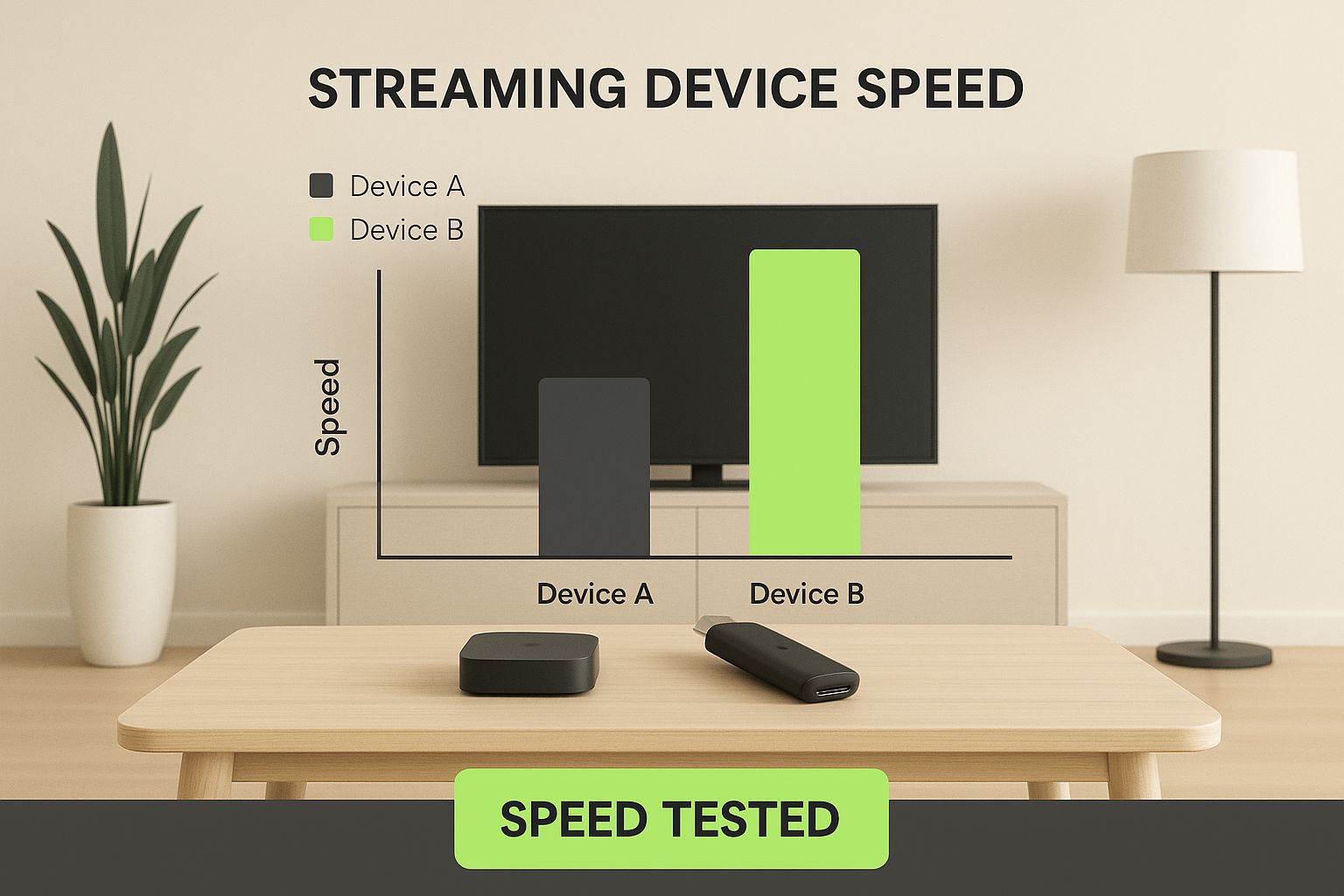
It’s a great reminder that while dedicated boxes are built for speed, browser players are only as fast as the device you already own.
How fast a device works is only half the battle. If the interface is a cluttered mess, it doesn’t matter how quick it is. A clean, simple layout makes finding a movie fun, while a confusing one is just a headache.
While Apple TV 4K offers the most fluid navigation, the Roku Ultra delivers unmatched ease of use for non-technical users.
This really gets to the heart of what separates these platforms. Apple goes for that polished, premium feel. Roku is all about pure, dead-simple usability. Fire TV and Google TV are different again; they’re built to help you discover new things by constantly showing you recommendations.
The Free IPTV Player is the ultimate minimalist. It's just a clean player window where you paste your M3U link. No ads, no recommendations—just you and your channels.
The remote is your one connection to the screen, and a bad one can ruin everything.
Roku's Simple Remote: It’s famous for a reason. It has just the buttons you need and nothing you don’t. The fancier models add voice search, TV controls, and a button to make the remote beep when it’s lost in the couch cushions (a lifesaver).
Amazon's Alexa Voice Remote: This remote is built around talking to your TV. It’s perfect for anyone who’d rather just ask for a show than scroll through menus to find it.
Apple's Siri Remote: This thing feels premium. It’s made of aluminum and has a slick touch-sensitive clickpad for swiping. It takes a minute to get used to, but once you do, it’s incredibly fast.
Google TV's Remote: A small, comfy remote that hits a great sweet spot. It has dedicated buttons for Google Assistant, Netflix, and YouTube, mixing convenience with a simple design. You can buy the Chromecast with Google TV on Amazon.
To make it easier, here’s a quick breakdown of how these devices stack up in terms of user experience. This table should give you an at-a-glance feel for where each one really shines.
| Feature | Roku Ultra | Amazon Fire TV Stick 4K Max | Apple TV 4K | Chromecast with Google TV | Free IPTV Player (Browser) |
|---|---|---|---|---|---|
| Interface Style | Simple App Grid | Content-First, Ad-Supported | Clean, App-Focused | Recommendation-Driven | Minimalist Player |
| Responsiveness | Good | Very Good | Excellent | Very Good | Depends on Device |
| Remote Control | Simple, Intuitive | Voice-Centric (Alexa) | Premium, Touchpad | Balanced, Assistant-Focused | Keyboard/Mouse/Touch |
| Ideal User | Non-technical, values simplicity | Amazon Prime user, likes voice commands | Apple user, demands top performance | Content explorer, wants aggregation | IPTV user, seeks flexibility |
At the end of the day, the "best" experience comes down to what you care about. If you want pure, unadulterated speed in a polished package, the Apple TV 4K is tough to beat. If you just want something that works without any fuss, Roku is your answer. And for anyone who loves flexibility and doesn't want another piece of hardware, the Free IPTV Player offers a direct and powerful alternative.
A fast device is great, but what good is speed if you can’t watch what you want? This is where we get into the "walled gardens" of each platform. Every company has its own strategy for curating content and keeping you hooked, which can feel either incredibly helpful or a bit restrictive, depending on what you're looking for.
Understanding these ecosystems is a huge part of picking the right device. It dictates which apps you can get and how shows and movies are recommended to you. Some platforms unapologetically push their own stuff to the front, while others try to stay out of the way.
Each of the big players has a totally different philosophy. Take Amazon—the entire Fire TV experience is built around your Prime membership, making it a no-brainer if you’re already a subscriber. This is a powerful strategy, especially in the U.S., where Amazon Prime Video holds a leading 22% market share, just inching past Netflix at 21%. That kind of dominance shows just how much these ecosystems can influence our viewing habits.
Apple TV plays a similar game, creating a premium, buttery-smooth experience for anyone already in the Apple universe. It beautifully weaves together Apple Music, Apple Arcade, and your iTunes library. For an iPhone user, the Apple TV 4K isn't just a streaming box; it's the command center for their entire digital life.
Then you have Chromecast with Google TV, which is all about aggregation. It masterfully pulls content from all your streaming subscriptions into one place, giving you recommendations based on everything you watch, no matter the app. It's a fantastic way to find something new without having to jump between Netflix, Hulu, and everything else. You can grab a Chromecast with Google TV from Amazon to see this unified approach in action.
Roku is the Switzerland of streaming devices. It takes a completely platform-agnostic approach because it doesn't have a major streaming service of its own to push. The result? A simple, unbiased home screen that’s just a grid of your favorite channels. This neutrality is precisely why Roku has built up one of the most massive app libraries available, without playing favorites.
This makes devices like the Roku Ultra a fantastic choice for people who subscribe to a bunch of different services and just want a straightforward way to access them all on equal footing.
Roku's strength lies in its simplicity and fairness. It doesn't try to steer you towards one service over another, offering a level playing field that puts user choice first.
This is a fundamental difference to consider. Do you want an experience that's tightly integrated with an ecosystem you already love, or would you prefer a blank canvas where every app gets the same treatment?
For a lot of cord-cutters, the real test is how well a device handles IPTV. Here, the differences are stark. Platforms built on Android, like Fire TV and Google TV, are fairly open to sideloading third-party IPTV apps. Others are much more locked down. Apple TV has a pretty limited selection in its App Store, and Roku is notoriously difficult when it comes to installing unofficial apps.
This is exactly where the browser-based Free IPTV Player flips the script. It completely sidesteps the walls of these closed ecosystems.
Ultimately, this makes the Free IPTV Player the most flexible and adaptable solution for any IPTV user. It turns any device you own into a powerful streaming machine, no matter what ecosystem the manufacturer wants to lock you into.
When you're picking a streaming device, the price tag is just the first chapter of the story. You have to think about the total cost – not just what you pay at the store, but also any subscriptions or app fees that might pop up later. Getting the full picture helps you find the best bang for your buck.
The initial price can swing wildly. On the super affordable end, you've got gadgets like the Amazon Fire TV Stick 4K, which you can often snag for less than $50. But if you're looking for a powerhouse, the premium Apple TV 4K can easily run you over $100.
That one-time hardware cost is easy to see. The real costs, though, are hiding in the ecosystems. A Fire TV Stick, for example, really comes alive if you have an Amazon Prime membership. You don't have to have it, but the whole interface pushes Prime content so hard that it feels like something's missing without it.
And it's not just that. All those apps you download can have their own subscriptions and fees. That's how your total entertainment bill can slowly start to climb.
For a lot of folks, especially if your main goal is watching IPTV, a dedicated streaming box can be an extra, unnecessary cost. The real win is getting to your content, not adding another gadget to your TV stand.
This is where the Free IPTV Player completely flips the script on value. The upfront cost is $0. Zero. Since it just runs in the web browser you already have, you don't need to buy any new hardware at all. For anyone who just wants to stream their IPTV channels, that's a huge, immediate saving. The focus shifts from buying a device to just enjoying your shows. You can find a great service to pair it with by checking out our guide on the best IPTV providers in 2023.
So, which path makes the most sense? It really depends on what kind of streamer you are.
The Casual Streamer: If you just want the basics, a budget-friendly box like the Roku Express is a fantastic deal. It's cheap, simple, and doesn't try to lock you into one company's world.
The Ecosystem Loyalist: Are you all-in on Apple or Amazon? Then the higher price of an Apple TV or the ongoing cost of Prime for your Fire TV can totally be worth it. Everything just works together seamlessly, and that convenience is its own kind of long-term value.
The IPTV Enthusiast: For this crowd, the Free IPTV Player is the hands-down winner on value. You skip every single hardware cost and ecosystem fee, letting you spend your money where it counts: on a good IPTV subscription. By using the browser on a smart TV or laptop you already own, your entry cost is literally zero. You get all the content for the lowest possible price.

So, after looking at all these gadgets, it’s pretty clear there isn't one magic box that’s perfect for everyone. What’s right for you really comes down to your budget, how you like to watch TV, and honestly, how much you enjoy messing with technology.
Instead of just picking a "winner," let's figure out which of these solutions feels like it was made for you.
Let's match the right gear to the right person. See which of these sounds like you, and you'll have your answer.
For the Tech Novice: If you just want something that works right out of the box with zero fuss, Roku is your best friend. Its remote is simple, and the app grid is dead easy to navigate. The Roku Express 4K+ is a great place to start.
For the Amazon Prime Loyalist: Already have Alexa in every room and a constant stream of Amazon boxes at your door? This is a no-brainer. A gadget like the Fire TV Stick 4K Max plugs right into that world, putting all your Prime stuff front and center.
For the Apple Enthusiast: If you're all-in on Apple, the Apple TV 4K is the only real choice. It’s powerful, the interface is slick, and it works perfectly with your iPhone and iPad. For anyone deep in the Apple ecosystem, the premium experience is worth every penny.
But what if none of those really fit? What if you're just looking for the most content for the least amount of cash, and you've already cut the cord?
For the modern cord-cutter focused on IPTV, the combination of a browser and a quality subscription service offers unparalleled freedom. It sidesteps hardware costs and ecosystem restrictions entirely.
This is where the Free IPTV Player really shines. You can use the web browser on the smart TV or laptop you already own, which means your starting cost is zero.
Pair that with a solid subscription from a service like IPTV Now, and you unlock thousands of channels without buying another piece of hardware. It's the smartest, most wallet-friendly way to go for serious IPTV fans.
And once you've picked your device, don't forget little extras like a streaming device TV mount to keep your setup clean and tidy.
Got Questions? We've Got Answers.
When you're digging into the world of streaming gadgets, a few common questions always pop up. Let's tackle them head-on so you can pick your perfect streaming buddy with confidence.
This is a big one, especially if you want to keep your streaming private or check out shows from other countries. The answer really depends on the device.
Something like the Amazon Fire TV Stick 4K Max, which runs on a version of Android, makes it pretty simple. You can usually find a VPN app right in its app store and install it with a click. Easy peasy.
But then you have devices like Roku and Apple TV. They're more like a walled garden—super secure, but they don't let you install just any app. Getting a VPN to work on them often means getting technical and setting it up on your internet router, which can be a real headache.
The browser player sidesteps all of this. You just run the VPN on your laptop or computer like you normally would, open your browser, and you're good to go. No fuss.
Jumping to a 4K device only makes sense if the rest of your gear is ready for it. Think of it like a three-legged stool. You need all three legs to stand:
If you have a 1080p TV, a fancy 4K streamer like the Apple TV 4K is just showing off. It won't make your picture look any better, so you're spending money for nothing. That said, if you're planning on getting a new TV soon, buying a 4K device now is a smart way to be ready for the future.
A 4K streaming device is an investment in awesome quality, but it's totally dependent on the tech you already have. Without a 4K TV and fast internet, you're just paying for potential you can't even use.
This really boils down to what you value more: a smooth, polished experience or total freedom.
A dedicated app is built for your device. It works perfectly with the remote, the menus feel natural, and it updates itself automatically. It’s a clean, simple, plug-and-play solution.
On the other hand, a browser-based solution like the Free IPTV Player gives you a different kind of power. There's nothing to install, it never goes out of date, and it runs on pretty much anything with a web browser. It’s the ultimate way to get around app store rules and restrictions. For IPTV fans who want to quickly try a playlist or watch channels without being locked into one device, it’s a game-changer.
Ready to skip the hardware and stream with total freedom? Head over to Free IPTV Player and start watching your favorite channels right in your browser. It’s fast, free, and works with the gadgets you already have.
