Watching your favorite TV channels online has never been easier. You can now stream live shows, movies, and sports directly through your internet connection, and often, all you need is a free IPTV player to get started. This whole setup gives you access to a massive library of channels from all over the world, completely ditching the need for a traditional cable box.
The magic behind this is IPTV, which stands for Internet Protocol Television. It's just a fancy way of saying that TV content is delivered over the internet instead of through old-school satellites or cables.
Remember being stuck with expensive cable packages and rigid broadcast schedules? Those days are quickly becoming a memory. We're in the middle of a huge cultural shift, with more people than ever leaving traditional television behind for the freedom and flexibility of online streaming.
This isn't just a fleeting trend—it's a fundamental change in how we watch TV. At its core, this movement is all about taking back control. You get to decide what you watch, when you watch it, and where you watch it.
This new era of television is powered by IPTV technology. Instead of relying on a satellite dish or a coaxial cable, IPTV delivers live channels straight through your existing internet connection. It’s a simple but powerful idea that opens up a world of entertainment, making global content accessible right from your couch.
The reasons people are moving away from cable are pretty clear. Everyone's looking for a better, more modern way to watch TV.
Here are the biggest drivers behind the cord-cutting movement:
The numbers back this up. In May 2025, streaming video made up a historic 44.8% of all television viewership in the United States, officially overtaking the combined share of broadcast and cable TV. That statistic alone shows just how quickly consumer habits have changed in only a few years.
The real appeal of IPTV is that it turns your internet connection into a personal television network. You’re in the director's chair, building a channel lineup that fits your interests perfectly, without paying for dozens of bundled channels you'll never watch.
Using a free online IPTV player pulls all of this together, creating one central hub for all your entertainment. It's the key that connects your device to a massive universe of content. From here on out, we’ll walk you through setting up your very own personalized viewing experience, step by step.
Getting a fantastic experience when you watch TV channels online really boils down to having the right hardware. The device you pick is the bridge between your internet and your TV, and its performance is the difference between a smooth, high-def stream and a choppy, pixelated mess. Your hardware doesn't have to break the bank, but it definitely needs to be up to the job.
You could stream on a smartphone or laptop, sure, but a dedicated streaming device plugged into your TV offers a far more comfortable and immersive viewing experience. Think of these gadgets as specialists—they're built and optimized for one main purpose: delivering video to your screen flawlessly.
When you start shopping around, you'll notice a few big names dominate the market. Each device strikes a different balance between power, price, and ease of use, which means there's a good fit for just about everyone.
Finding your perfect device is all about your personal needs. If you just want a simple, plug-and-play gadget that works right out of the box, the Amazon Fire TV Stick is tough to beat. For the price, its performance is a great entry point for anyone just getting started with IPTV.
The infographic below gives you an idea of the sheer volume of content available on major platforms, which is exactly what IPTV services aim to match and even surpass.
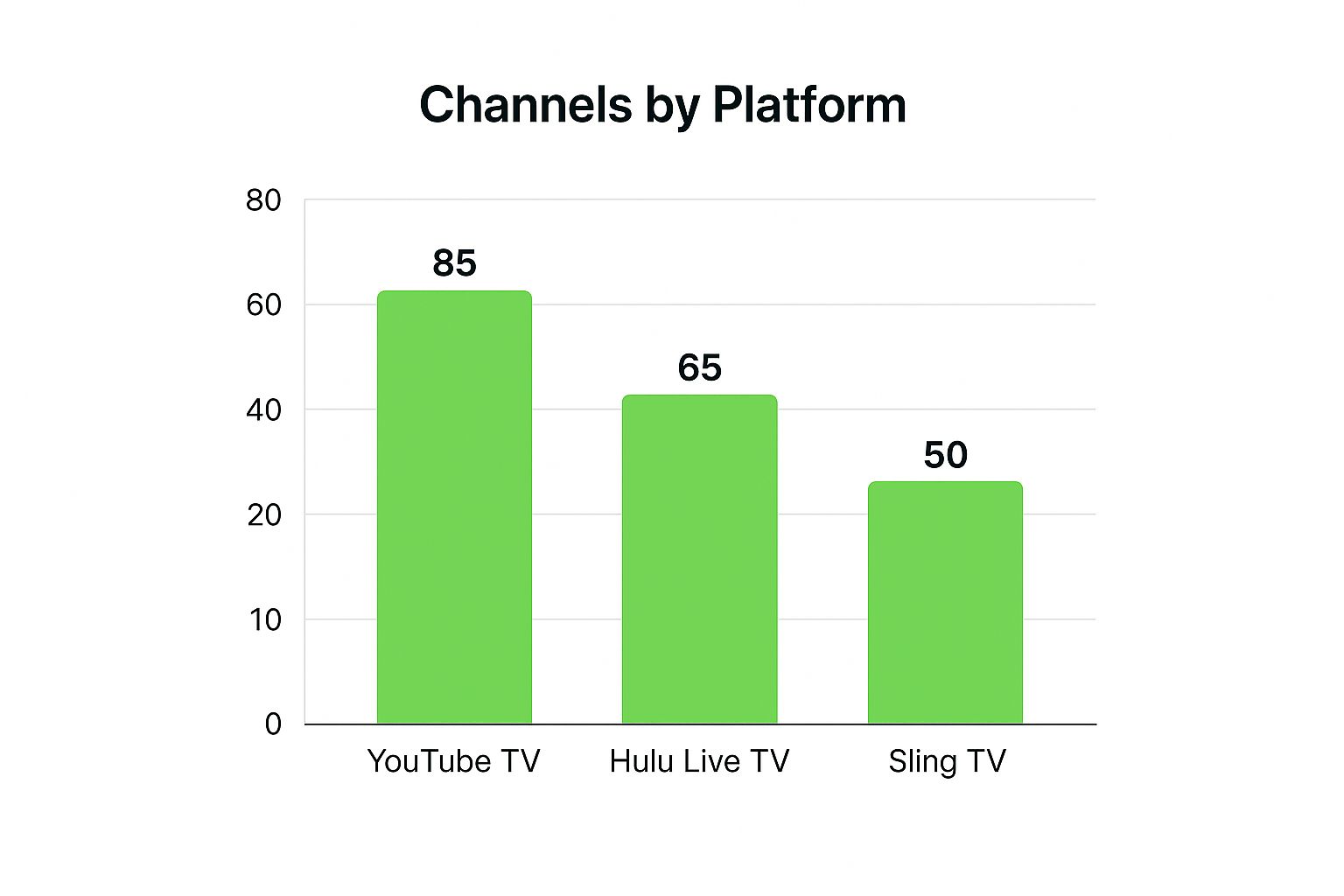
As the chart shows, even mainstream services like YouTube TV offer a ton of channels. IPTV just takes that concept and opens up a whole new world of possibilities.
On the other hand, if you're more of a power user who loves tweaking settings and wants maximum flexibility, an Android TV box is the clear winner.
To help you decide, here's a quick rundown of some of the most popular options.
Choosing the best device for watching TV channels online can feel overwhelming with so many options out there. This table breaks down the top contenders to help you find the perfect match for your needs and budget.
| Device | Best For | Ease of Use | Typical Price Range |
|---|---|---|---|
| Amazon Fire Stick 4K Max | Beginners and budget-conscious streamers | Very Easy | $40 - $60 |
| NVIDIA SHIELD TV Pro | Power users and 4K gaming enthusiasts | Moderate | $180 - $200 |
| Standard Android TV Box | Users who want customization on a budget | Moderate | $50 - $100 |
| Built-in Smart TV OS | Casual users who prioritize convenience | Varies by brand | N/A (Included) |
Each of these devices can get the job done, but picking the right one from the start will save you a lot of potential frustration. For a deeper dive into how these devices stack up, check out our detailed streaming device comparison guide.
Ultimately, the best streaming device is one that disappears into the background, letting you focus on the content. A reliable processor and strong Wi-Fi connection are non-negotiable for a smooth experience.
Investing in a quality device from the get-go is the best way to prevent future headaches and truly get the most out of your IPTV service.
Alright, you’ve got your streaming device ready. Now for the fun part: setting up the actual IPTV player that turns that device into a portal for thousands of channels.
Don't worry, this isn't nearly as technical as it sounds. We'll skip the jargon and stick to what you actually need to do to get watching.
Think of an IPTV player as an empty media library. It’s a powerful piece of software, but it needs a channel list to know what to play. We’re about to load it up.
First things first, you need to get the player app onto your device. How you do this can change a bit depending on your hardware, but the end goal is always the same.
Once you have the player installed or open in your browser, it will ask for one thing: your channel playlist. This is the key that unlocks all the content.
The engine behind any IPTV setup is the M3U playlist. It’s just a file or a URL that tells your player where to find all the channels. A good, reliable M3U playlist is an absolute must-have.
If you use a poor-quality source, you’re in for a world of frustration—constant buffering, dead channels, and low-resolution streams. This is why we always suggest using a trusted provider that delivers stable, high-quality streams, like our affiliate IPTVNow.
Your M3U playlist is the single most important component for quality streaming. A great player can't fix a bad source, so investing in a reliable playlist from the start saves a lot of headaches later.
Loading your playlist is incredibly simple. Players usually give you two options:
After you add the playlist, your player will instantly populate with all the channels, usually sorted into helpful categories like sports, movies, and news. And just like that, you're ready to watch tv channels online.
If you want to get a better handle on how these players work under the hood, check out our guide on the IPTV M3U Player.
So, you've got your IPTV player ready to go. Great! But right now, it’s a bit like a brand-new library with empty shelves—it needs some content. This is where M3U playlists enter the picture.
Think of an M3U file or URL as the master catalog for your player. It’s the magic ingredient that tells your player exactly which channels to load and, more importantly, where to find them online.
The source you get this playlist from is easily the most critical part of the puzzle for a good viewing experience. You'll quickly find that playlists generally fall into two buckets: free and premium. And while "free" sounds great, these playlists are often a fast track to frustration, usually packed with dead links and streams that buffer endlessly.
Honestly, opting for a premium service is a small investment that pays off big time in quality and reliability. Providers, like our affiliate IPTVNow, are experts in delivering stable, high-definition streams with thousands of channels. This means you can actually kick back and watch your favorite shows without constant interruptions.
When you're out there looking for playlists, be a little skeptical of sources that seem too good to be true. Here are a few red flags I always tell people to watch out for:
Once you've got a solid M3U source, the next trick is managing all that content inside your player. Most modern IPTV players, including our own browser-based one, let you load multiple playlists. This is a game-changer for keeping things organized.
You could, for example, have one playlist just for live international sports, a separate one for those 24/7 movie channels, and another one entirely for international news. This keeps your interface from becoming a cluttered mess and helps you find what you want to watch fast, without scrolling through an endless sea of channels you don't care about.
If you really want to take charge, learning how to create an M3U playlist yourself gives you the ultimate control over your channel lineup.
The ability to organize multiple playlists transforms your IPTV player from a simple channel viewer into a fully customized entertainment hub tailored specifically to your tastes.
This level of personalization is a huge part of why online streaming has completely taken over. It’s become a daily habit for millions around the globe. In fact, the video streaming market is projected to hit a mind-boggling $674.25 billion in 2025. It's pretty amazing to see just how massive the shift to online viewing has become.
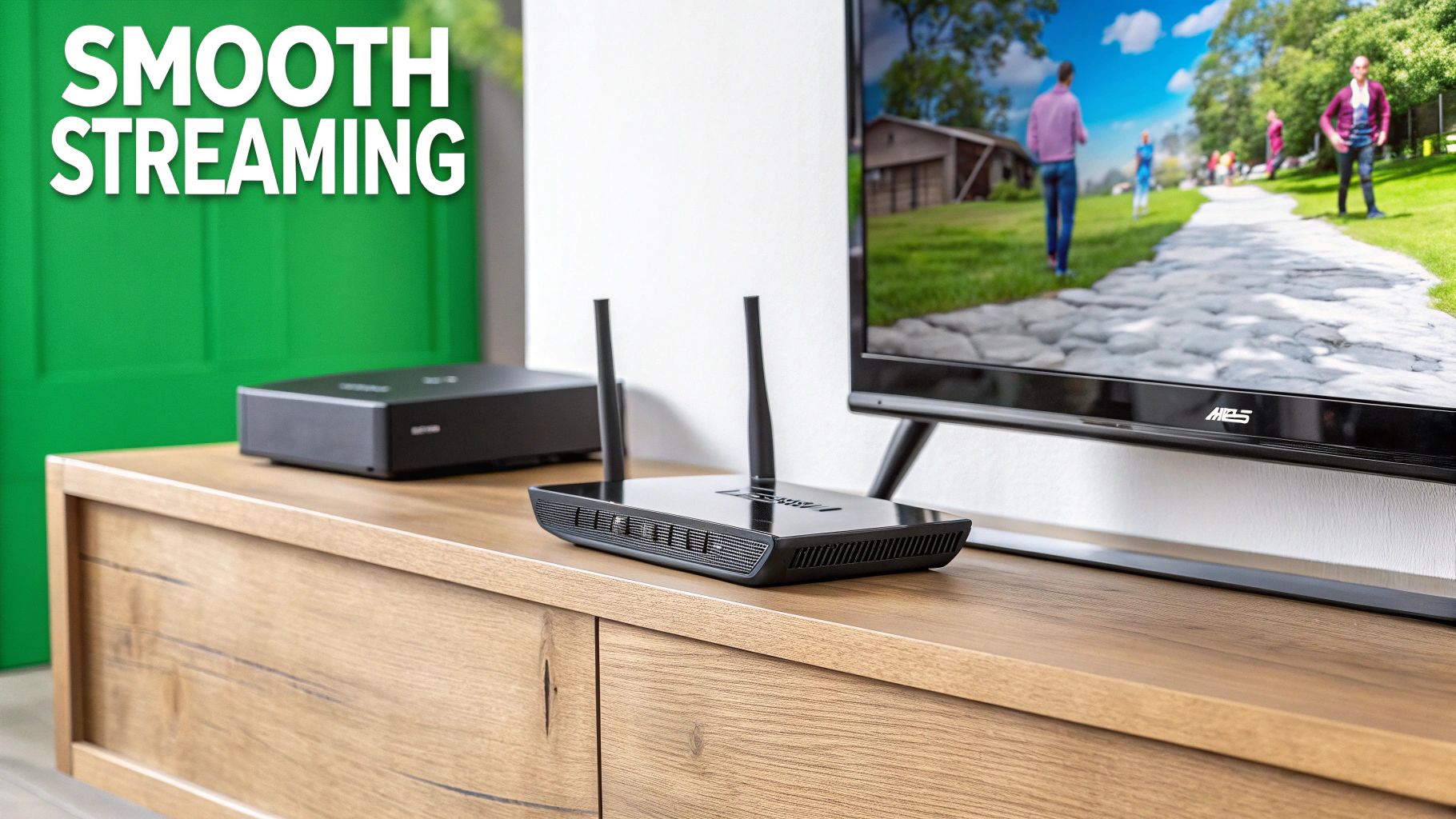
Alright, now that you've got your IPTV player up and running, let's dial it in to get that perfect, buffer-free picture. A few small tweaks can honestly make a huge difference, turning a decent stream into a fantastic one. Our goal here is to get rid of common headaches like laggy channels or audio that’s just a little bit off.
The first place to look—and where you'll get the most bang for your buck—is your internet connection. Your plan might promise blazing-fast speeds, but the real bottleneck is often your Wi-Fi signal. If your streaming device is across the house from your router or has a few walls in the way, the connection gets weaker, and that’s when buffering starts.
For the most stable stream imaginable, grab a decent Ethernet cable and plug your device directly into the router. A wired connection is almost always going to beat Wi-Fi, giving you a rock-solid foundation for smooth, high-definition streaming.
With a solid connection in place, the next move is to pop open your IPTV player’s settings. Most good players give you options to adjust video and audio output, which can clear up a lot of common playback glitches.
You’ll probably see settings for things like "Buffer Size" or "Video Decoder." If your stream is stuttering, try increasing the buffer size just a little. It lets the player pre-load more of the video, smoothing things out. Likewise, switching between hardware and software decoding can sometimes fix compatibility issues with certain channels.
And don't forget the audio! If you ever notice the dialogue doesn't quite match the actors' lips, look for an audio sync or offset setting. A tiny adjustment, often just a few milliseconds, is usually all it takes to fix that distracting problem for good.
Think of these settings as the control panel for your viewing experience. Taking just five minutes to experiment with them can lead to a significant boost in both picture clarity and playback stability.
To really get that movie theater feel, think about your room's acoustics too. For a deep dive, check out this ultimate guide to home theater sound dampening to take your sound to the next level.
An Electronic Program Guide (EPG) is another one of those features that completely changes how you watch online TV channels. It’s basically a digital TV guide that shows you what’s on right now and what’s coming up next, just like you’d get with traditional cable.
Here's why an EPG is a game-changer:
The data backs this up. By 2025, an incredible 76% of consumers worldwide were watching online TV daily, but concerns about cost are growing—with 52% feeling subscriptions are just too expensive. You can learn more about these trends in this detailed streaming trends report. Adding an EPG makes your free player feel much more like a premium service you'd otherwise pay for.
Once you dip your toes into the world of online TV, you're bound to have a few questions. It's a new way of doing things, after all. Let's tackle some of the most common ones so you can get back to streaming with total confidence.
Think of this as your friendly guide to clearing up the confusion.
This is the big one, and the answer is refreshingly simple. The IPTV player itself is just a piece of software, like a video player on your computer. Owning and using it is 100% legal.
The real question is about where your channels are coming from. As long as you're streaming from an official, properly licensed provider, you're in the clear. To keep everything above board, stick with a reputable service like IPTVNow. They have the rights to the content they stream, which means you get stable, high-quality entertainment without any legal headaches.
While you can stream without one, using a VPN is a smart move for a couple of big reasons. First, it smashes through those annoying geographic restrictions. A VPN can unlock a massive library of international channels that would normally be blocked in your country.
Even more importantly, it wraps your internet connection in a layer of privacy. This stops your internet provider from seeing what you're doing and potentially slowing down your connection—a frustrating practice called "throttling." For the best experience, a VPN is a must-have. You can even grab VPN-friendly devices like the Amazon Fire TV Stick 4K to make it super simple.
Think of a VPN as your passport to a more private and unrestricted streaming world. It hides your activity and opens up geo-blocked content, making it an essential tool for any serious streamer.
Your internet speed needs depend entirely on the picture quality you’re aiming for. Here’s a quick rule of thumb:
My advice? Always go for a little more speed than you think you need. It gives you a buffer, especially if you have other people or devices using the Wi-Fi at the same time.
Absolutely! Many of the best IPTV players today come with a built-in recording feature, often called PVR (Personal Video Recorder). This is a game-changer, letting you schedule recordings of live shows and save them to watch whenever you want.
Just keep in mind that this feature depends on the specific app you're using. Some providers might also have their own policies on recording. Before you settle on a player, double-check its feature list to make sure it has the PVR function you're looking for.
Ready to jump in and start watching TV channels online without any downloads? Give the Free IPTV Player a try. Just paste your M3U playlist URL at https://freeiptvplayer.net and you're good to go.
