Tired of being stuck with the same old channel lineups? Frustrated with those annoying regional blackouts that always seem to pop up during the big game? IPTV is a seriously flexible way to get your Canadian content fix, streaming live TV right over your internet connection.
Think of it as a modern take on TV—one that lets you watch everything from local news to national sports without being tied down by a traditional cable box.

This guide is designed to skip the tech-speak and give you a simple, practical way to start using IPTV for Canada. We'll show you how a straightforward, browser-based IPTV player like ours can open up a massive world of entertainment. No complicated hardware or confusing software downloads needed.
At the heart of any IPTV setup is the playlist file. You'll often see this called an M3U link or URL. This single link is the key that unlocks all your channels.
First things first, you'll need a good channel list from a service provider. The quality of your M3U is everything. It directly impacts your channel availability and how reliable the streams are, so a high-quality playlist is crucial for a smooth experience.
For a dependable source of Canadian and international channels, we've had good results with services like IPTVNow. Their playlists are usually well-maintained, which means you spend more time watching and a lot less time messing around with broken links.
The real game-changer with IPTV is its flexibility. You can watch on almost any device with an internet connection—your smart TV, your laptop, even your phone. It’s a perfect fit for how we watch things today.
Once you're all set up, you can get access to a huge variety of programming. A good IPTV for Canada service will give you a solid mix of content that often includes:
This guide will walk you through the simple steps to completely change up your viewing experience, starting with getting your channels loaded into our free online player.
A silky-smooth stream for your IPTV in Canada all starts with having the right hardware. Sure, our free IPTV player works in any browser, but the device you're running it on makes a world of difference. Trust me, investing in a capable streaming device is the single best way to dodge frustrating buffering and lag.
Your device's processor and memory (RAM) are the two big players here. A weak processor is going to struggle decoding high-quality video streams, which leads directly to that choppy, stuttering playback nobody wants. Likewise, not having enough RAM can make the player crash, especially when you're scrolling through massive channel lists. It’s just like a computer—the more power it has, the better it handles the heavy lifting.
For a consistently good experience, you'll want to look for a device that hits these minimum specs:
This quick infographic breaks down the simple selection process for your ideal hardware.
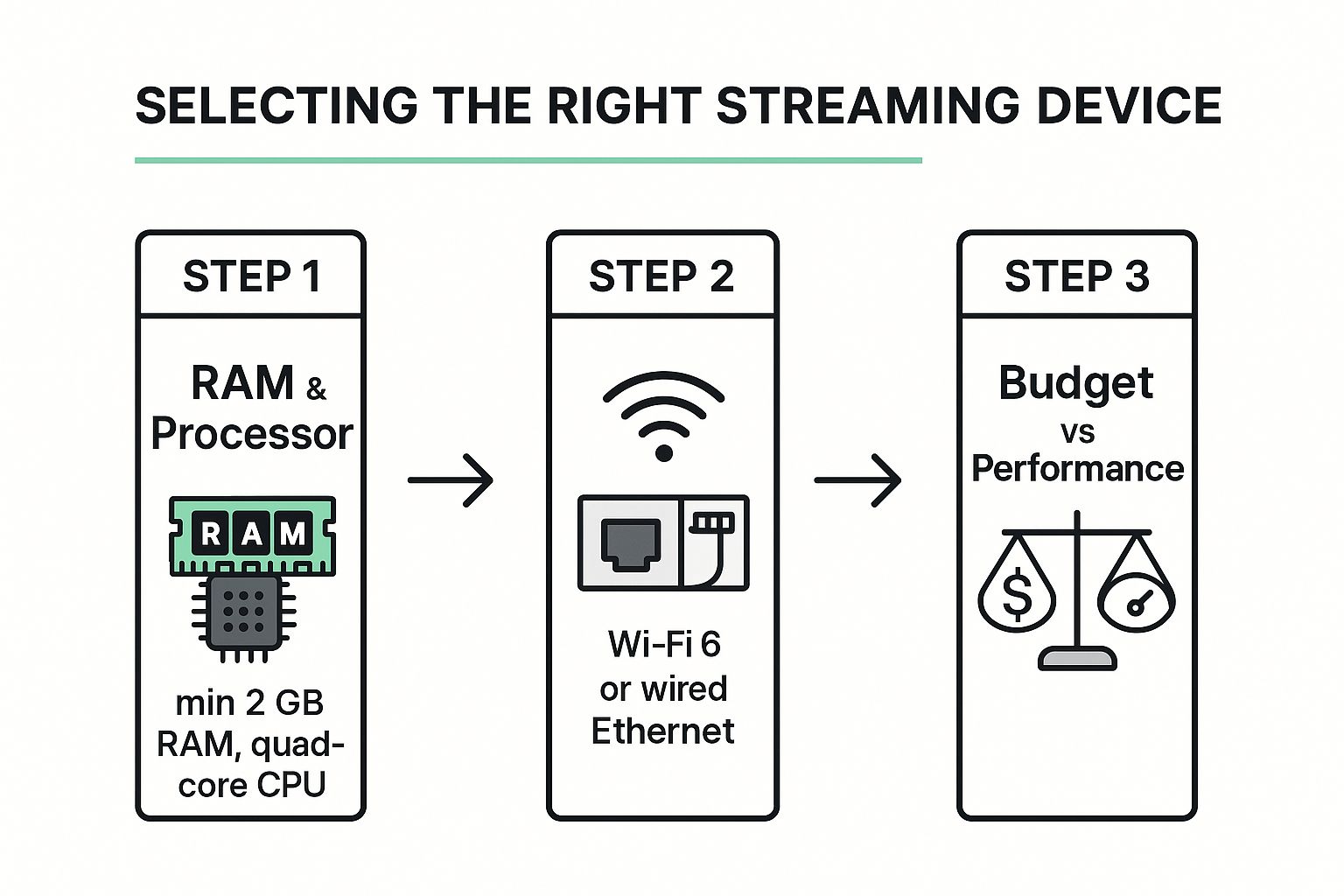
The main takeaway? Balancing performance components like RAM and connectivity with what you're willing to spend is the smartest path to a great setup.
When it's time to pick some hardware, you'll find that options like the Amazon Fire TV Stick 4K Max and various Android TV boxes are popular for a reason. The Fire TV Stick is a fan favorite because it’s got a super user-friendly interface and packs a serious performance punch for its price.
Android TV boxes, on the other hand, offer way more flexibility and room for customization. They often come with more ports, like an Ethernet jack for a wired connection—which is the gold standard for stability if you can swing it. For a much deeper dive, you should check out our comprehensive streaming device comparison.
The demand for better video content has absolutely fueled the IPTV market's growth in Canada, which mirrors what’s happening globally. This surge is great for us, as it means more and better hardware options are hitting the shelves all the time. You can dig into more insights about these global IPTV market trends on researchandmarkets.com.
Pro Tip: Don't just shop by price. Spending a little extra on a device with more RAM and a newer Wi-Fi chip will save you countless headaches from buffering and poor performance down the road. It’s an investment in your sanity.

Alright, let's put all the pieces together. Forget about fumbling with complicated software or trying to side-load sketchy apps. This is the easy way, using a free, browser-based player that just works—whether you're on a laptop, a tablet, or even your smart TV's built-in web browser.
The goal here is simple: get you from zero to streaming in a matter of minutes. We'll walk through grabbing your M3U playlist URL, popping it into the player, and kicking back with your favorite Canadian channels. This is exactly how accessible IPTV for Canada can be when you have the right setup.
First things first, you need your M3U playlist URL. This is the magic link from your IPTV service that holds all the channel information. Think of it as the master key to your entire TV package.
If you're signed up with a provider like IPTVNow, you'll usually find this link waiting for you in your account dashboard. The process is pretty standard across the board:
.m3u or .m3u8.With your link copied, you just need to head over to a browser-based player. This is where you'll paste the M3U URL to get your channels loaded instantly, no downloads required. Our own platform is a perfect example of an IPTV M3U Player designed to make this as painless as possible.
Once you paste your M3U link and hit "load," your channel list will pop right up. A good player will give you a clean, easy-to-read guide, often letting you sort by country or category like News, Sports, or Movies.
Most online players keep the controls simple and intuitive. You can usually search for a specific channel by name, which is a lifesaver when you've got thousands of options at your fingertips. Many also let you "favorite" the channels you watch all the time, building a personalized list for quick access.
The real beauty of a browser-based player is that it works almost anywhere. If your device has a modern web browser—whether it's a powerful Android TV Box or just the phone in your pocket—you're good to go. No apps, no fuss.
This simple copy-and-paste method completely removes the technical headaches that scare some people away from IPTV. By using a free online player, you can be up and running in less time than it takes to brew a pot of coffee, opening up a world of content with almost no effort.
So, you've got your channels loaded up. That's a great start, but the real test is getting them to play without a hitch. Let's talk about how to fine-tune your setup and get rid of the single most annoying problem in streaming: buffering.
Nine times out of ten, that dreaded spinning circle is pointing a finger straight at your internet connection.
Running a quick speed test is the first thing you should do. If you're not getting the speeds you pay for, that's a red flag. But here's the best trick in the book for an instant, noticeable improvement: ditch the Wi-Fi and plug an Ethernet cable directly into your router. A wired connection gives you the stable, consistent signal that high-definition IPTV for Canada craves.
For a deeper dive, our guide on how to optimize your internet connection has a ton of other useful tips.
Once your connection is solid, it's smart to think about privacy. A good Virtual Private Network (VPN) is more than just a security tool; it can actually improve your stream. A VPN encrypts your traffic, which can stop your Internet Service Provider (ISP) from throttling, or slowing down, your connection just because it detects video streaming. To get the best results, consider a modern VPN-friendly router that can handle the encryption without creating a bottleneck.
Another pro tip is to get your channel list under control. A massive playlist with thousands of channels sounds great, but it can be a nightmare to navigate.
Take a few minutes to mark your most-watched channels as "favorites" in your player. This simple step transforms a giant, clunky list into your own personalized TV guide, making it ridiculously fast to find exactly what you're looking for.
Finally, keep in mind how we're all watching TV these days. Streaming on phones and tablets is huge, and it's only getting bigger. Global growth is projected to hit a CAGR of 26.3%, a trend that’s especially strong in Canada thanks to powerful mobile devices and widespread 5G. This shift, which you can read more about in this Canadian IPTV market report on 6wresearch.com, makes a browser-based player like ours incredibly convenient, as it just works—no matter what screen you're using.
Even with a perfect setup, you might run into the occasional hiccup. IPTV streaming has a few moving parts, but most issues are pretty easy to solve. I've put together this table to help you quickly diagnose and fix the most common problems you're likely to encounter.
| Common Issue | Potential Cause | Recommended Solution |
|---|---|---|
| Constant Buffering | Slow or unstable internet, ISP throttling, or server overload. | Plug into your router with an Ethernet cable. Run a speed test. Try using a VPN to bypass throttling. |
| "Channel Not Found" Error | The M3U playlist is outdated, or the channel has been removed by the provider. | Refresh or re-download your M3U playlist from your IPTV provider. Contact their support if the issue persists. |
| Poor Video Quality (Blurry/Pixelated) | The stream quality is set to low, or your internet can't handle a high-bitrate stream. | Check your player's settings to ensure quality is set to "Auto" or the highest available. Check your internet speed. |
| Audio and Video Are Out of Sync | This is often an issue with the player's decoder or the source stream itself. | Restart the stream or the player app. If the problem continues, try a different IPTV player to see if it resolves the issue. |
| Playlist Fails to Load | The M3U URL is incorrect, expired, or blocked by your network/ISP. | Double-check that you copied the M3U URL exactly. Make sure your subscription is active. A VPN can help if it's an ISP block. |
Think of this table as your first line of defense. Working through these simple steps will solve the vast majority of streaming headaches, getting you back to your show in no time.
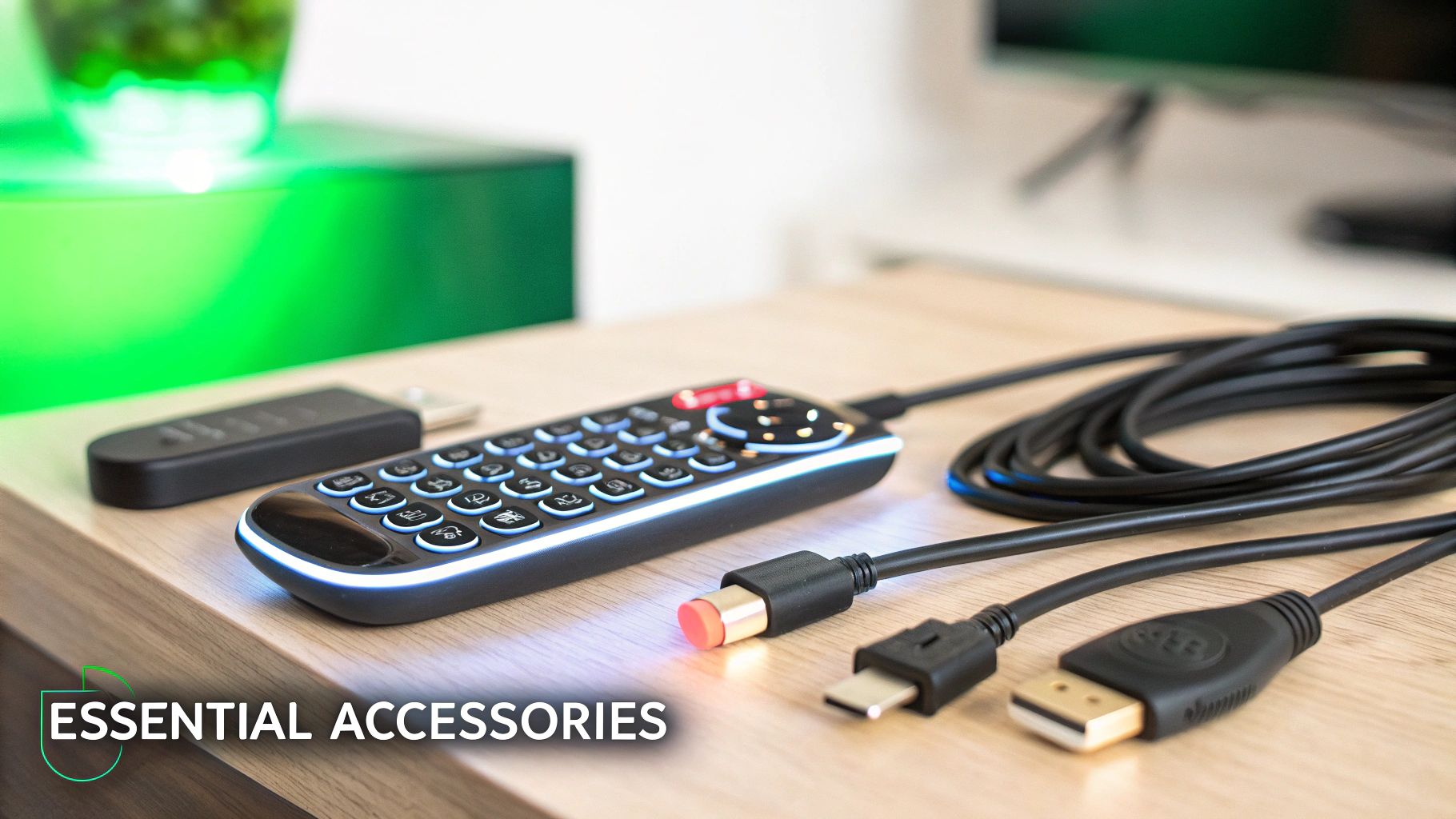
Sometimes it’s the little things that take your streaming setup from good to truly great. A few smart accessories can solve those common headaches and make your day-to-day viewing experience with IPTV for Canada way better. Trust me, these small investments pay for themselves in convenience.
One of the best upgrades you can make is grabbing a backlit mini keyboard remote. If you're using an Android box, this little gadget is an absolute lifesaver. It beats pecking away at an on-screen keyboard to search for shows, making everything faster and way less frustrating.
Don't let your cables be the weak link in your setup. A proper high-speed HDMI cable is key to making sure your TV gets the best possible signal from your device.
And for anyone using a Fire TV Stick, I highly recommend a dedicated Ethernet adapter for Fire TV. This will give you a stable, buffer-free connection that Wi-Fi can't always guarantee.
These aren't just about convenience; they're about reliability. A stable wired connection and a quality cable are your best defense against the most common streaming frustrations like buffering and poor picture quality.
Of course, accessories can only improve the device they're connected to. Choosing the right box is just as important. For a deeper dive, check out our guide on finding the best IPTV box to be the heart of your home entertainment system.
Diving into the world of IPTV for Canada for the first time usually brings up a handful of questions. Let's tackle some of the most common ones so you can start streaming with total confidence.
First up: is it even legal to use an IPTV player? Absolutely. Using a player like ours is 100% legal. The software is just a tool, not much different from a web browser like Chrome or Safari.
The important part is where your content comes from—your M3U playlist. Always make sure you’re getting your playlist from a provider with a solid reputation.
This question comes up all the time. While a VPN isn't strictly required to watch IPTV, I highly recommend using one.
Think of it this way: a good VPN encrypts your internet traffic. This simple step stops your ISP from seeing what you're doing online or, more annoyingly, throttling your connection speeds right when the big game starts. It’s a small price for better privacy and a much smoother stream.
For a deeper dive into protecting your online accounts, it's worth reading up on general account security for streaming services.
Finally, what about getting local Canadian channels? The channels you get, whether local or national, depend entirely on your IPTV service provider.
Most quality providers have a strong lineup of Canadian content, but it's always a smart move to double-check their channel list before you subscribe. You don't want to sign up only to find out your must-have networks aren't included.
Ready to start streaming without any hassle? Free IPTV Player lets you load any M3U playlist directly in your browser, no downloads needed. Get started today at https://freeiptvplayer.net.
